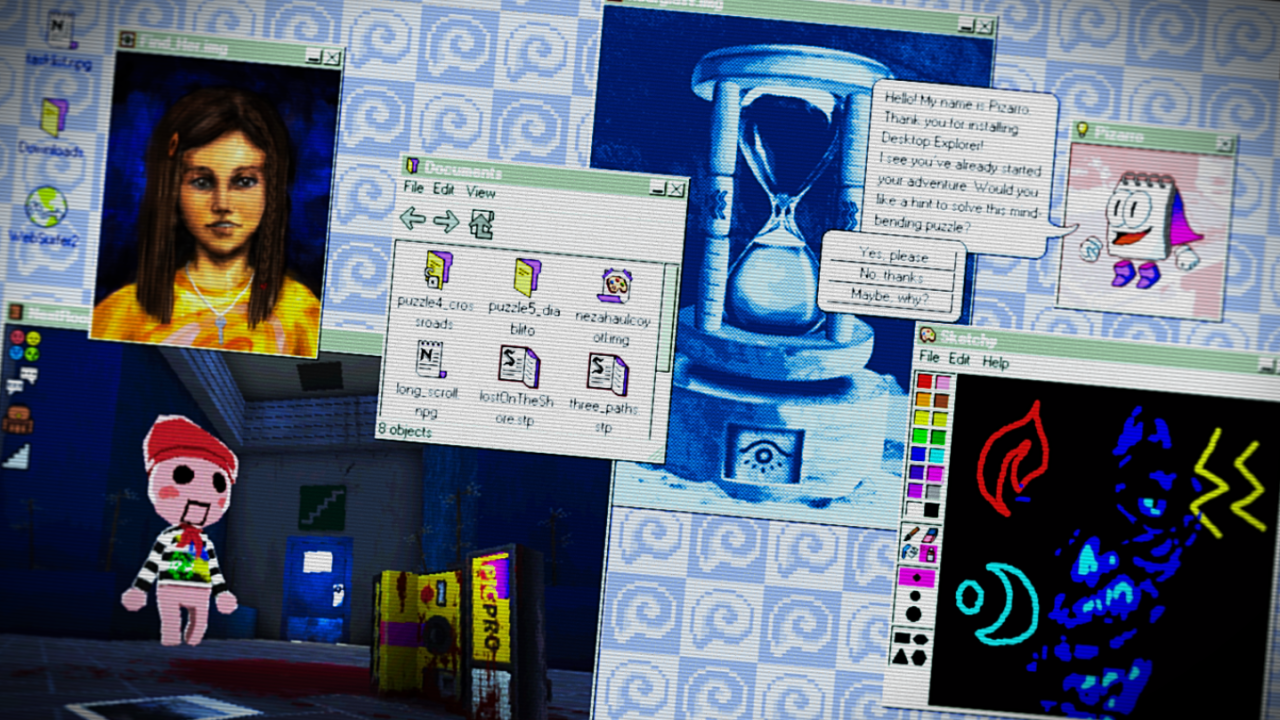
Desktop Explorer
This game contains occasional flashing lights, screen effects, and rapidly changing imagery that may affect players with photosensitive epilepsy or light sensitivities. All artwork, writing, music, sound design, programming, and game assets have been created by our development team and through tradi


Free Download - Game Review
This game contains occasional flashing lights, screen effects, and rapidly changing imagery that may affect players with photosensitive epilepsy or light sensitivities. All artwork, writing, music, sound design, programming, and game assets have been created by our development team and through traditional creative processes.Features:Explore a 90’s operating system where every window hides a clue.Solve puzzles using classic OS tools like: file explorers, chat logs, and corrupted applications.Dig through abandoned software and forgotten files to uncover the truth.Experience a psychological horror mystery told through eerie interfaces and fragmented memories.Navigate immersive 3D environments rendered in retro-digital aesthetics.Listen to an original evocative soundtrack and nostalgic computer soundsPlay classic pre-installed computer games Game Screenshots Gallery Desktop Explorer - Screenshot 1Desktop Explorer - Screenshot 2Desktop Explorer - Screenshot 3Desktop Explorer - Screenshot 4
Installation Guide
- Game is pre-installed / portable, therefore you do not need to install the game.
- Just extract the rar / zip file.
- Simply launch the Run Me!.bat inside the game folder. Important NotesPlease review these important details before installation Install necessary apps from Redist or _CommonRedist to ensure game launches without any problems. Always extract game in Antivirus / Defender excluded folder - Please check our FAQs to know why it is important. Always run the game as administrator. For detailed guide, make sure to read Installation Guide.txt inside the game files.
Comments
Be the first to comment — join the discussion.